
Free · iPhone, iPad & iPhone Duo · For Kimi Code
Your Kimi Code,
anywhere.
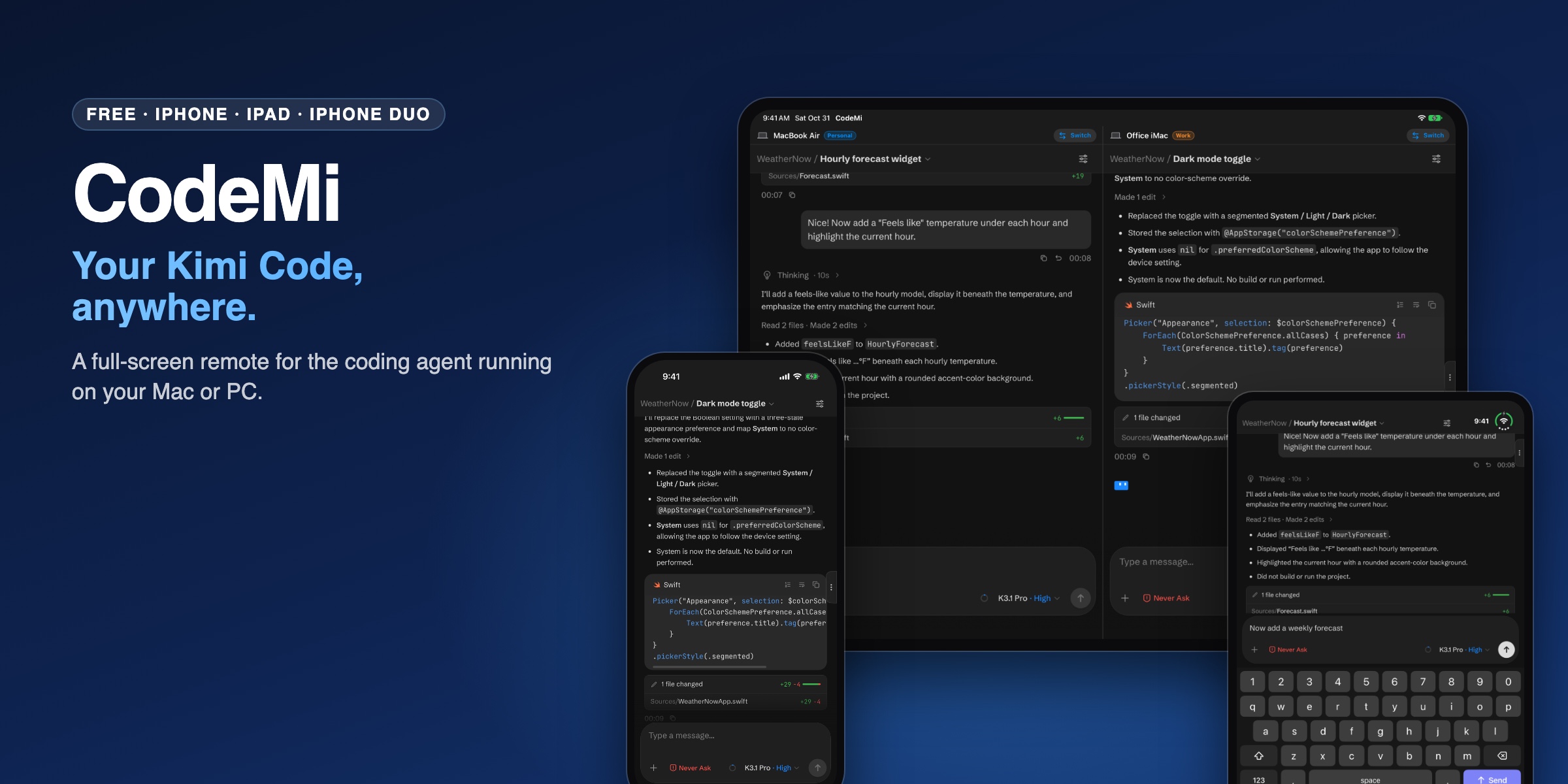
A clean, full-screen remote for the Kimi Code agent running on your Mac or PC. Check on a long task from the couch, send the next prompt from the grocery line, or approve a change without walking back to your desk.
Free · No ads, no subscriptions, no tracking · Works with Kimi Code on macOS and Windows
iPhone
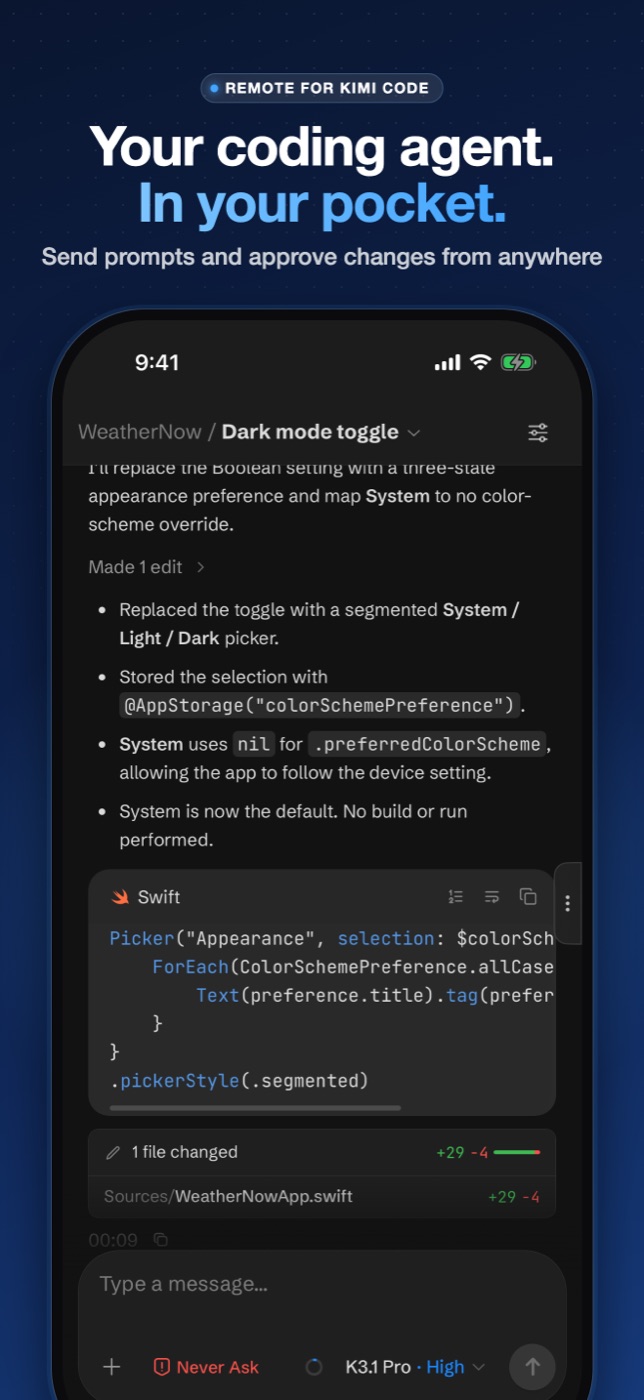
Full screen, edge to edge.
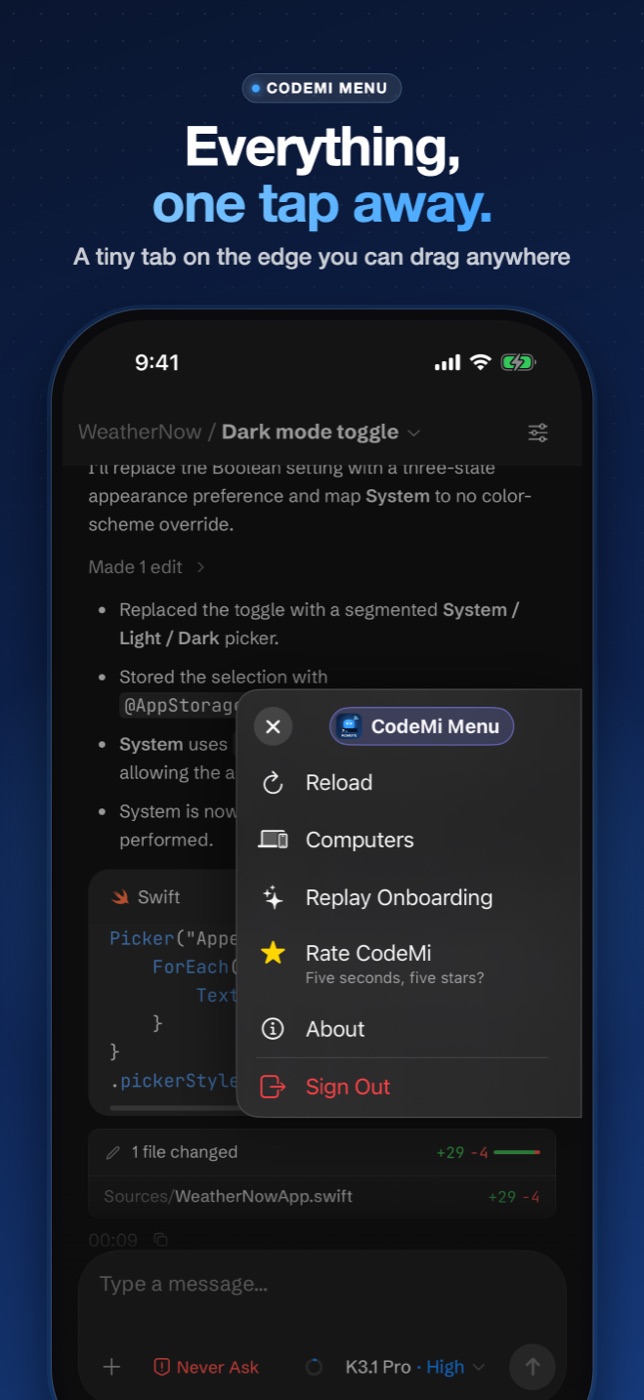
Kimi Code does the real work on your own computer: it runs the agent, reads your project and runs commands. CodeMi gives it the whole screen, with a tiny tab on the side for everything else.
iPad
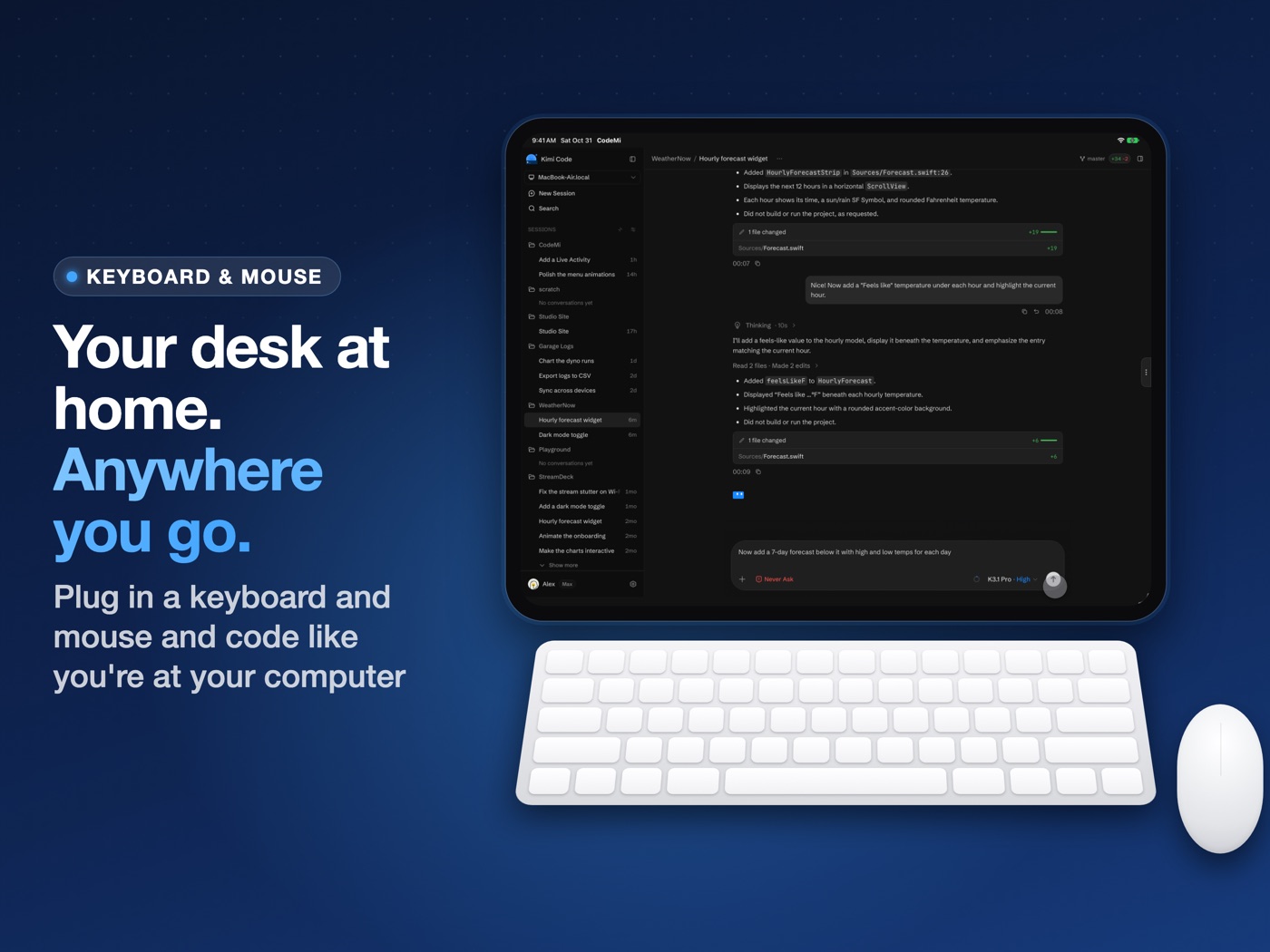
Your desk at home, anywhere.
Plug in a keyboard and mouse and it feels like coding at your computer. The on-screen keyboard stays out of the way, and a mouse or trackpad clicks, selects and hovers like on a Mac.
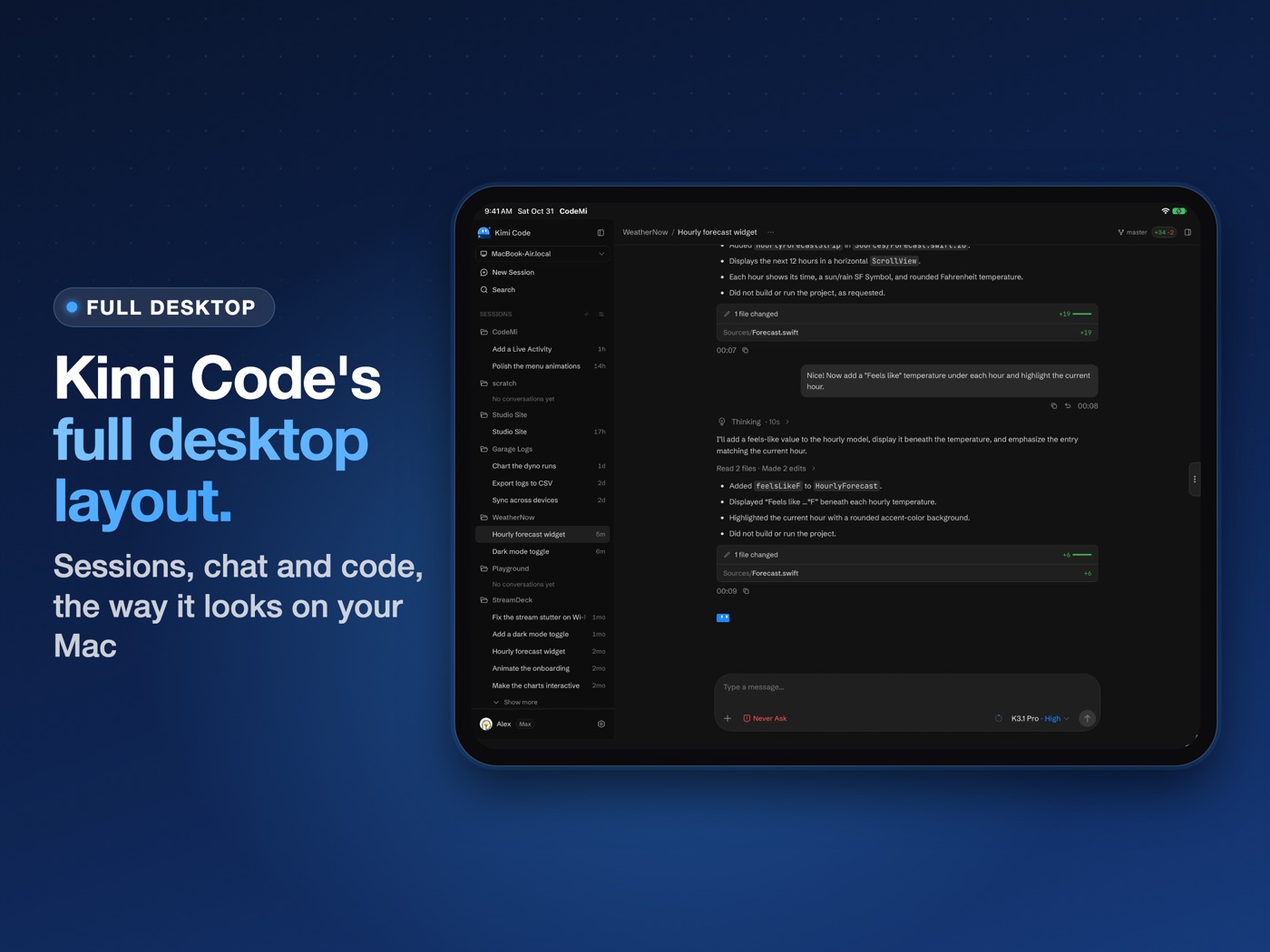
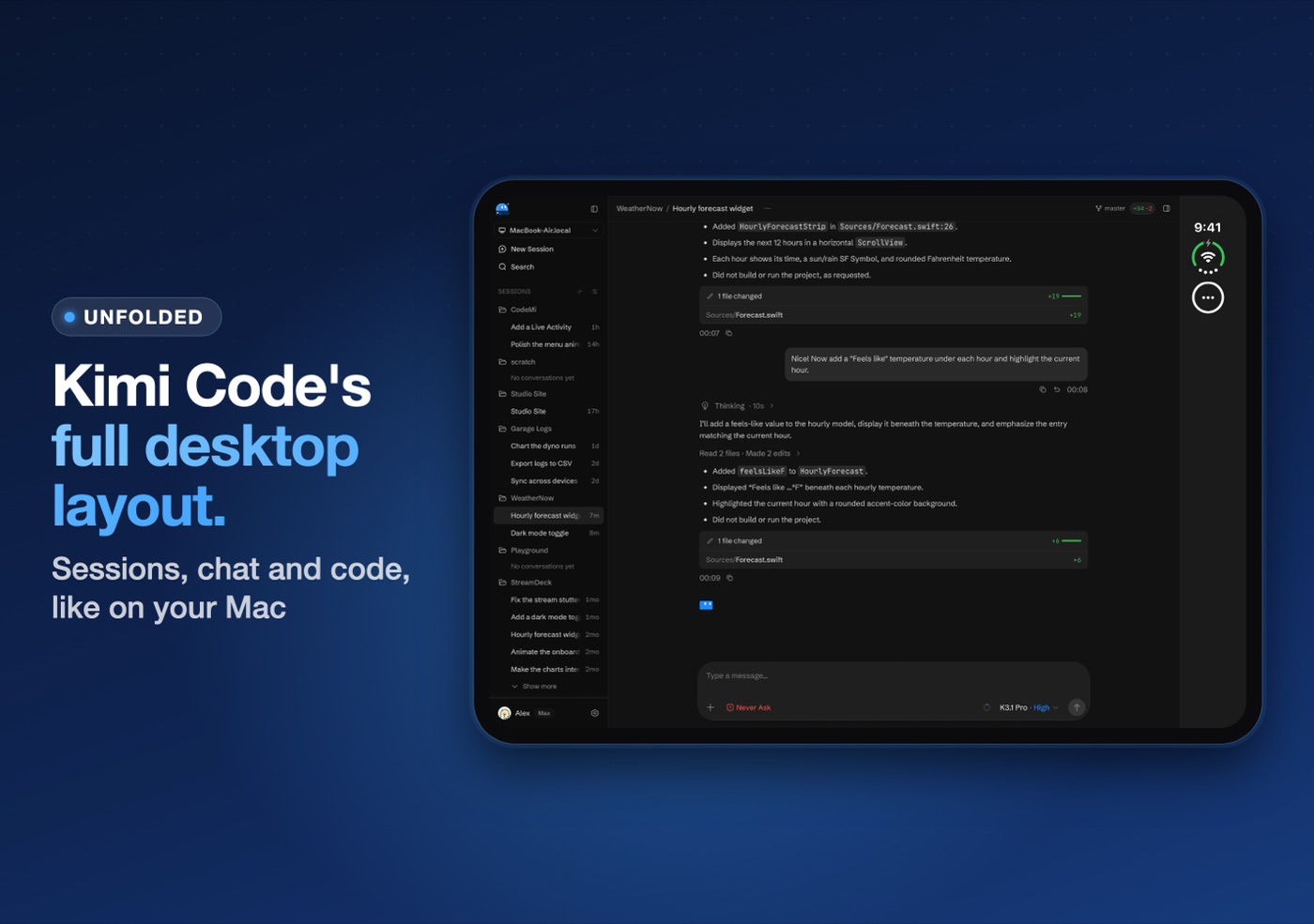
- DesktopKimi Code's full layout, with your sessions, chat and code.
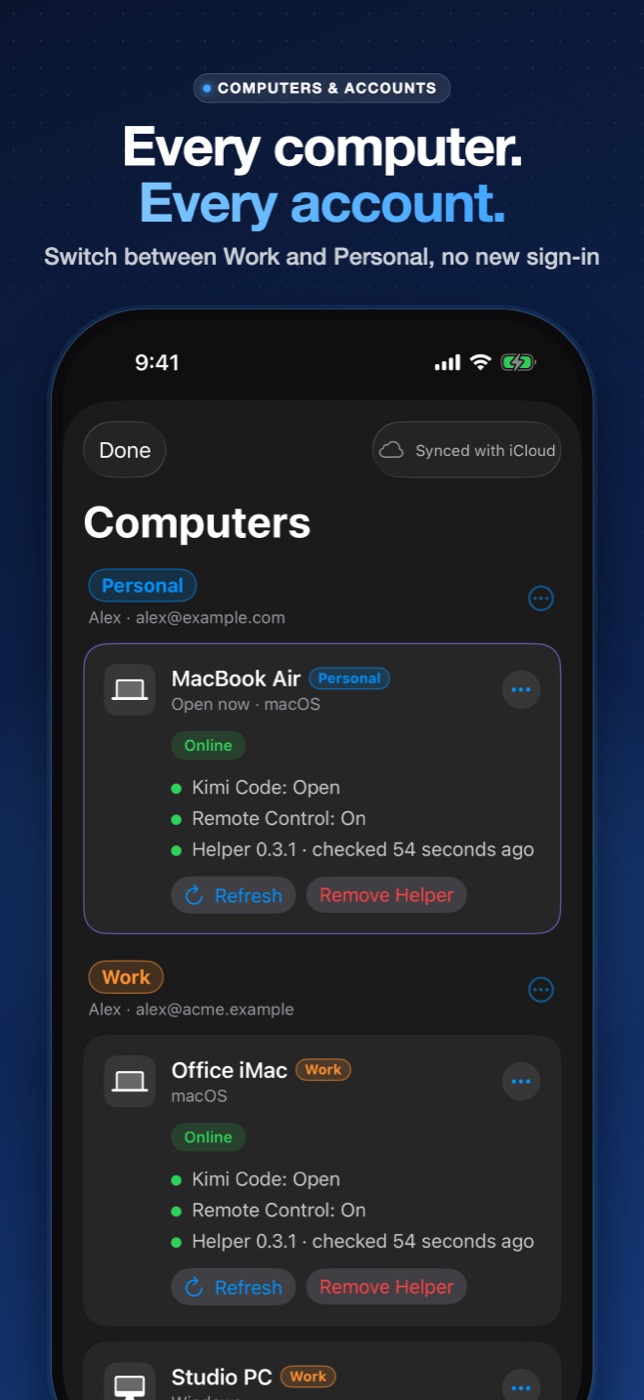
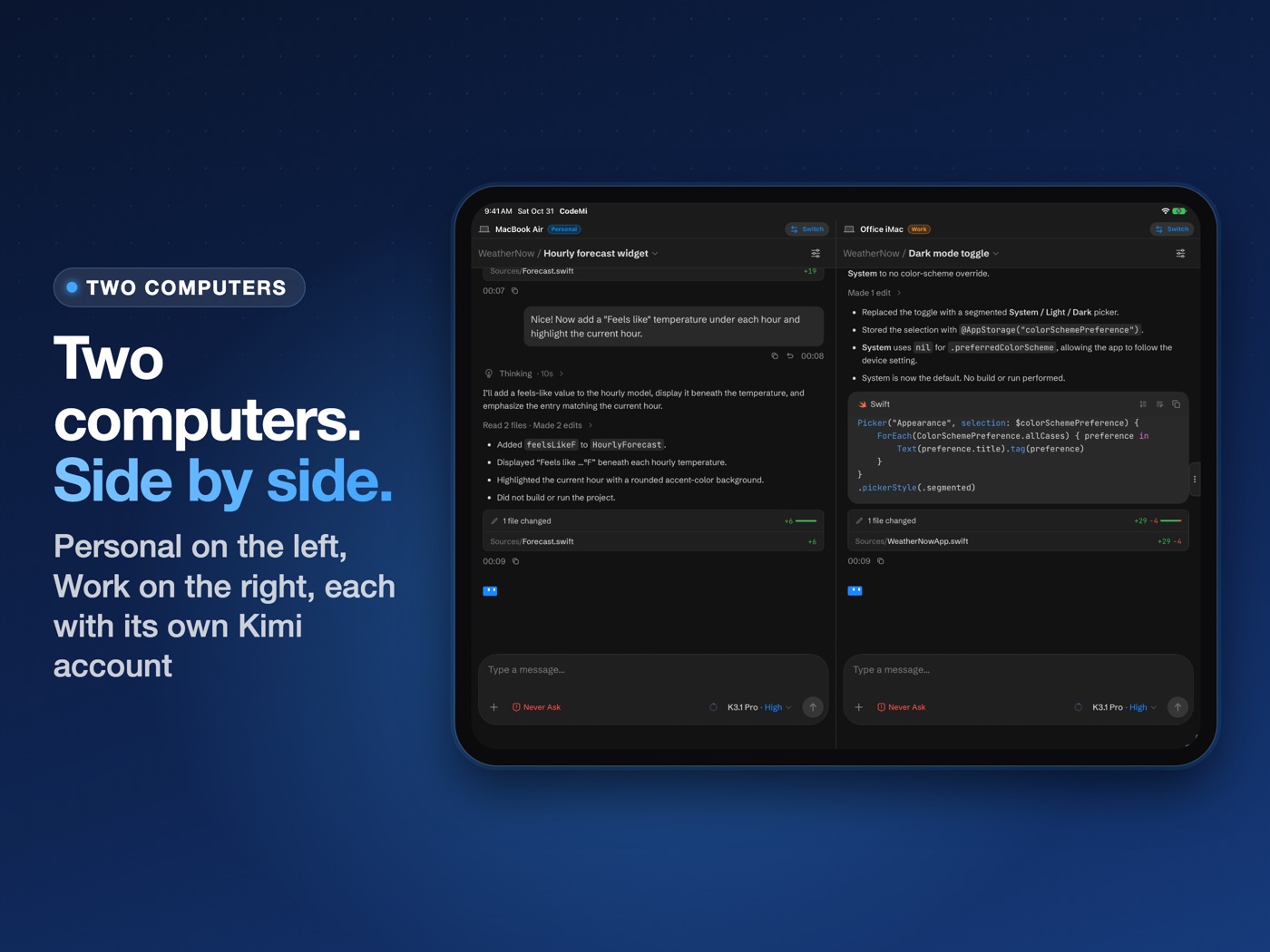
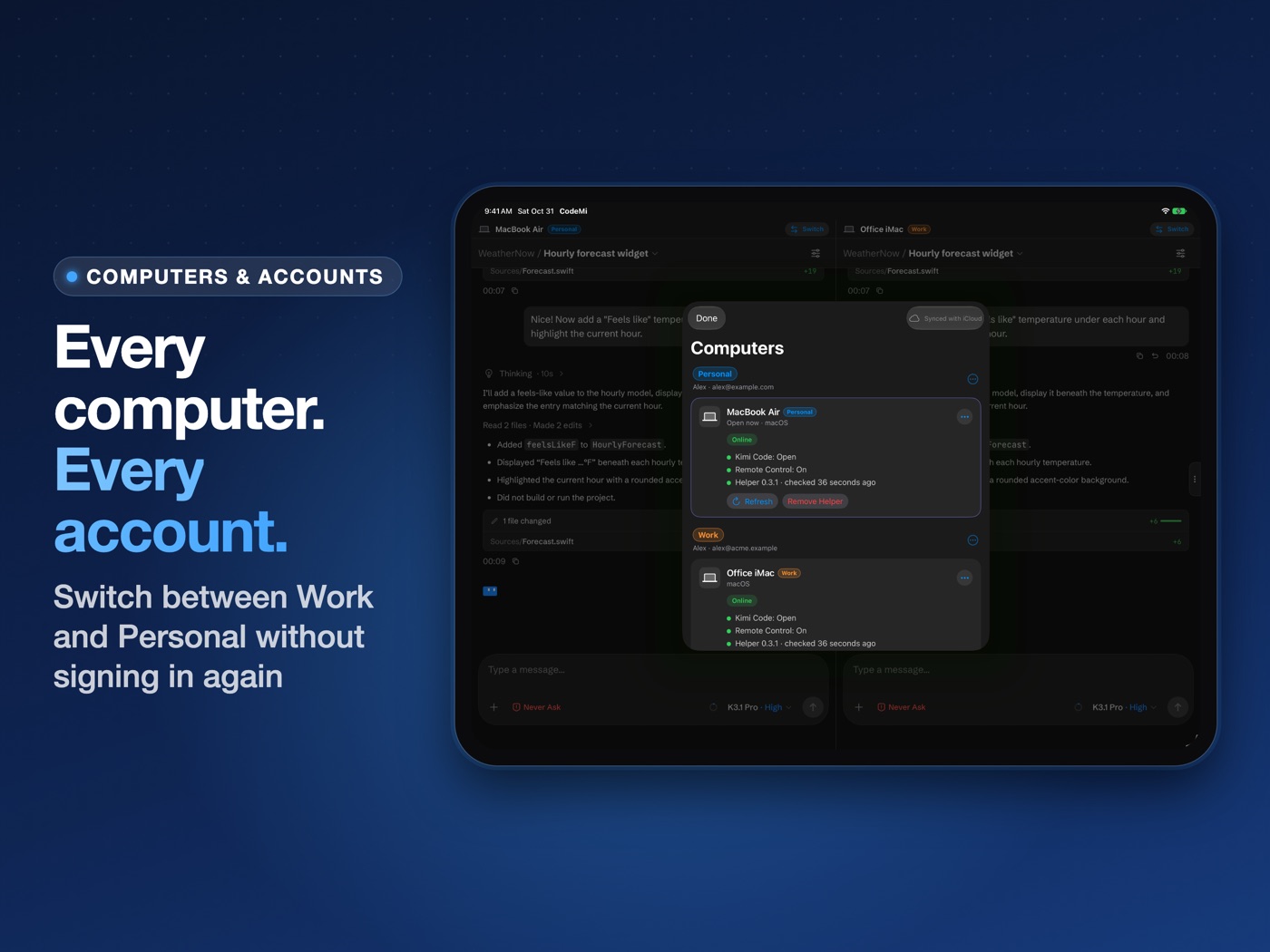
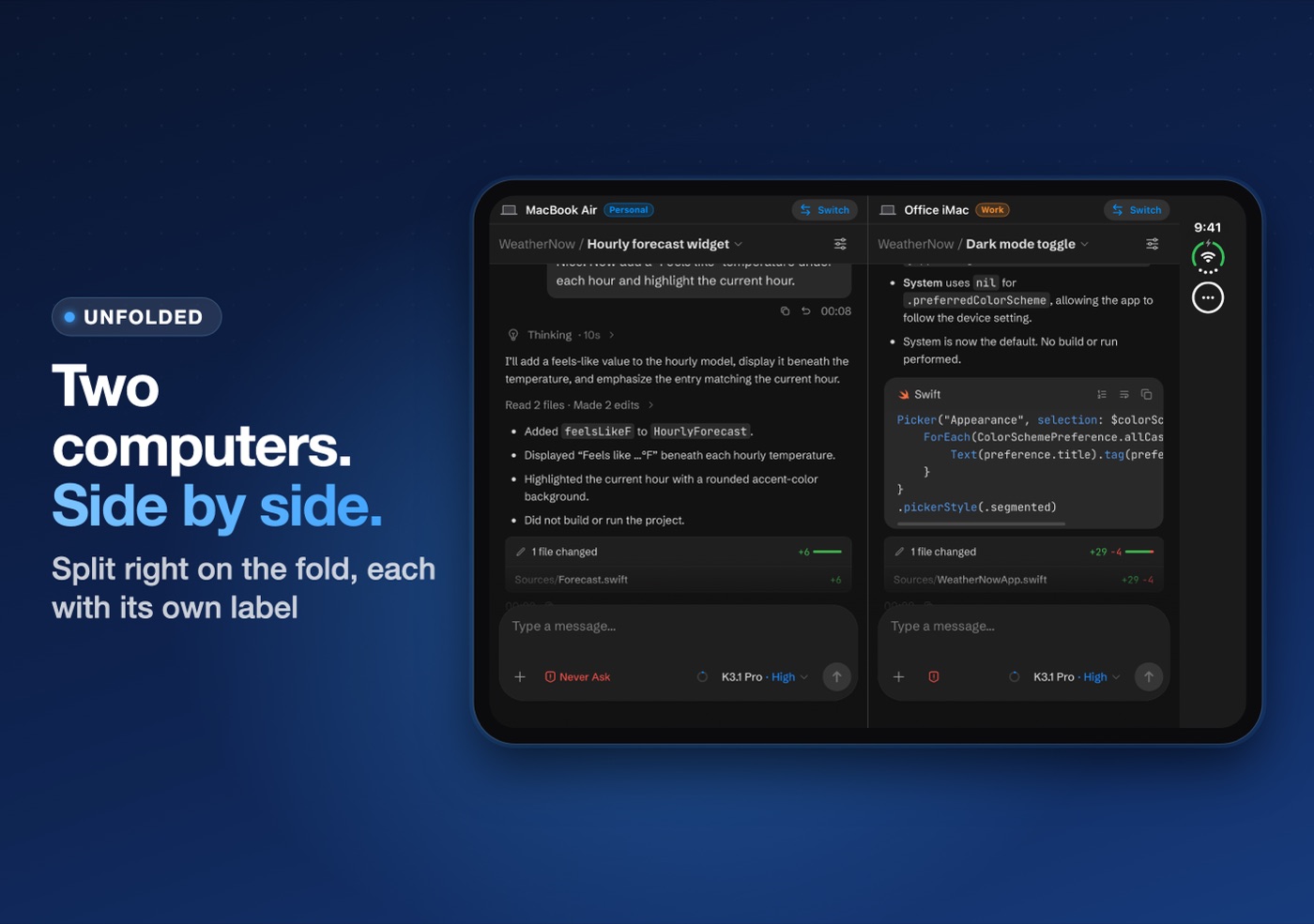
- Two ComputersTwo computers side by side in landscape, each with its own Kimi account and label.
- PortraitOne computer, full screen.
iPhone Duo
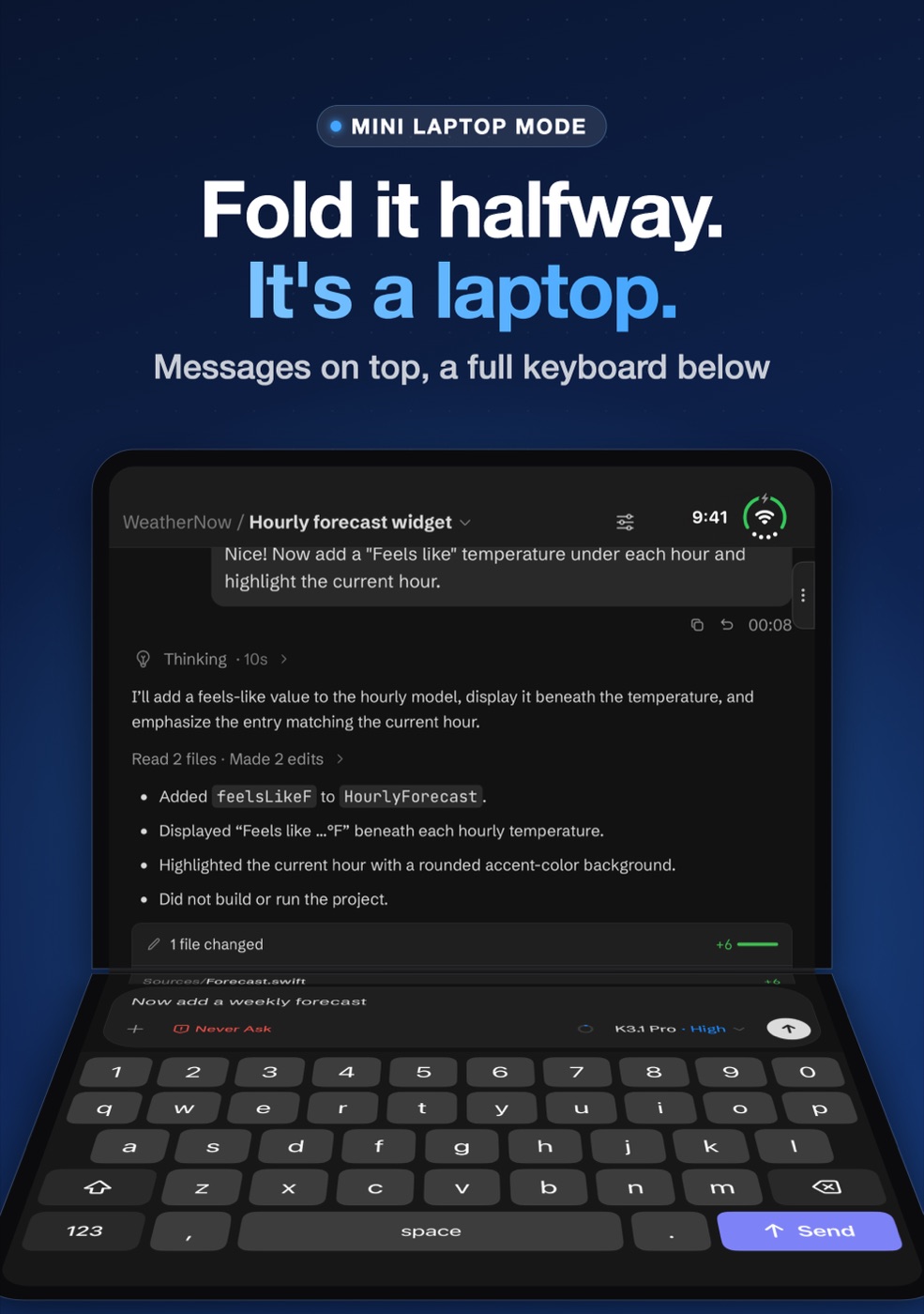
Fold it into a mini laptop.
- Half-foldedMessages on the top screen, a full keyboard on the bottom.
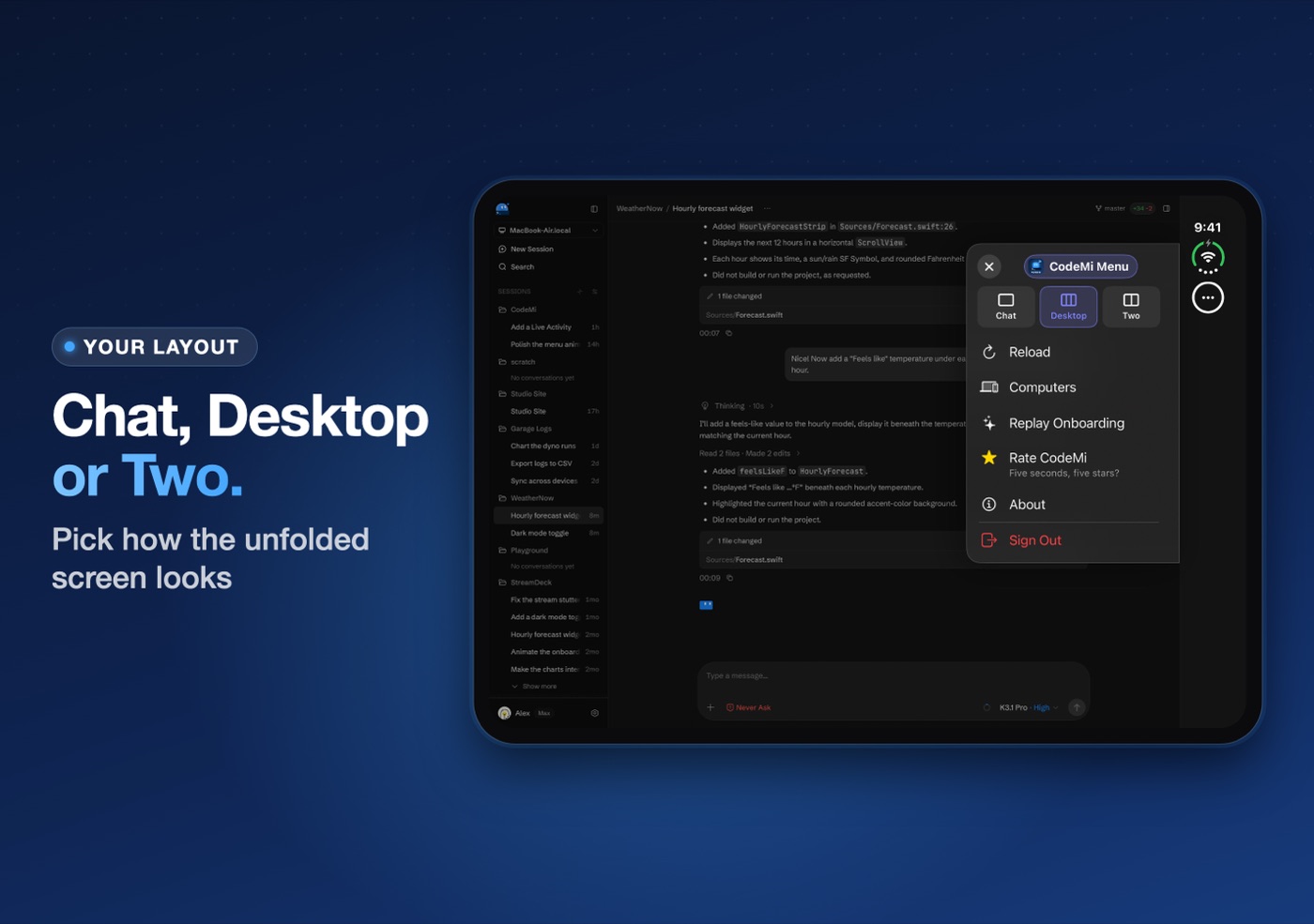
- UnfoldedChat, Desktop or Two Computers, split right on the fold.
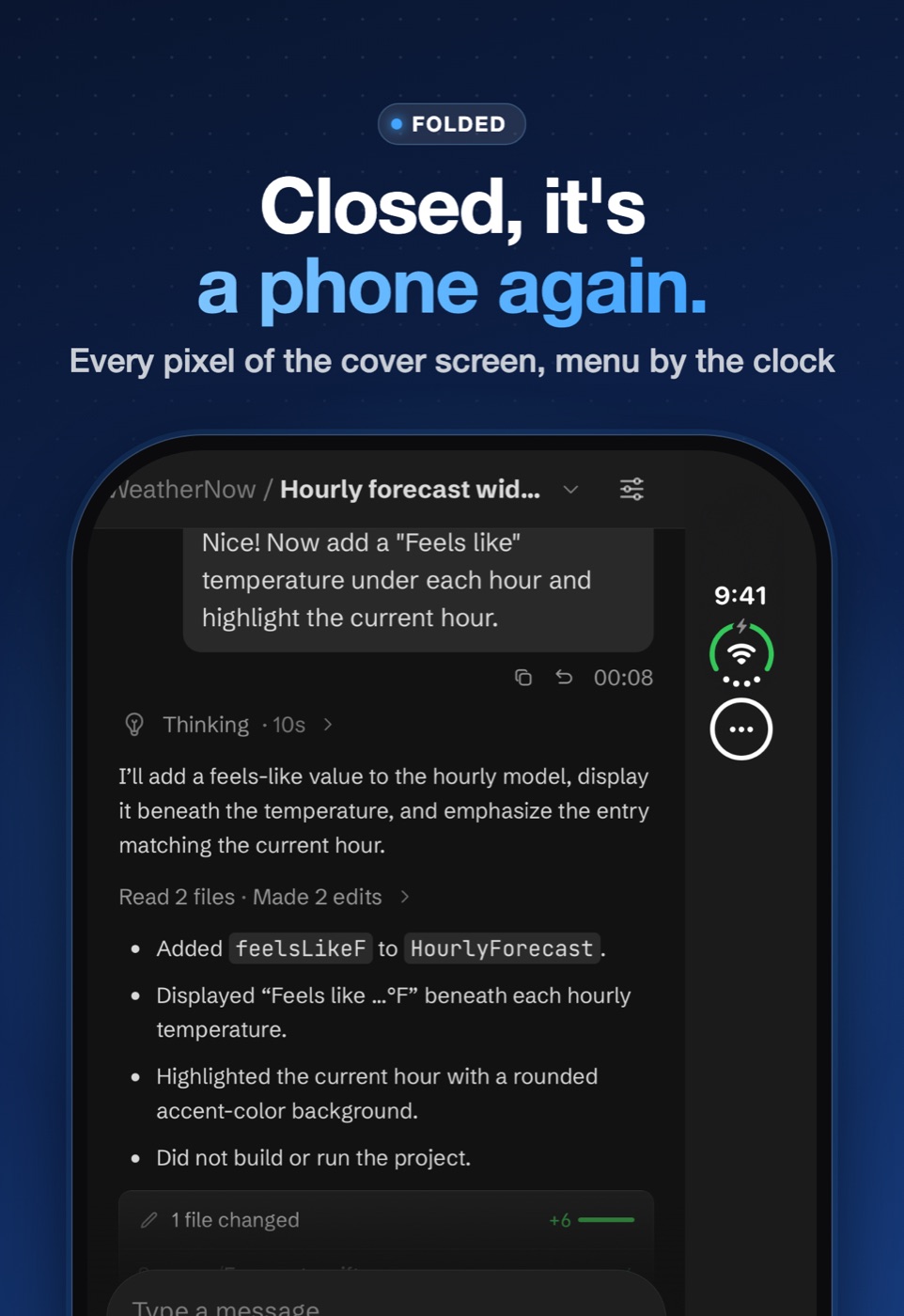
- ClosedOne chat that fills the cover screen.
Getting started
Connected in under a minute.
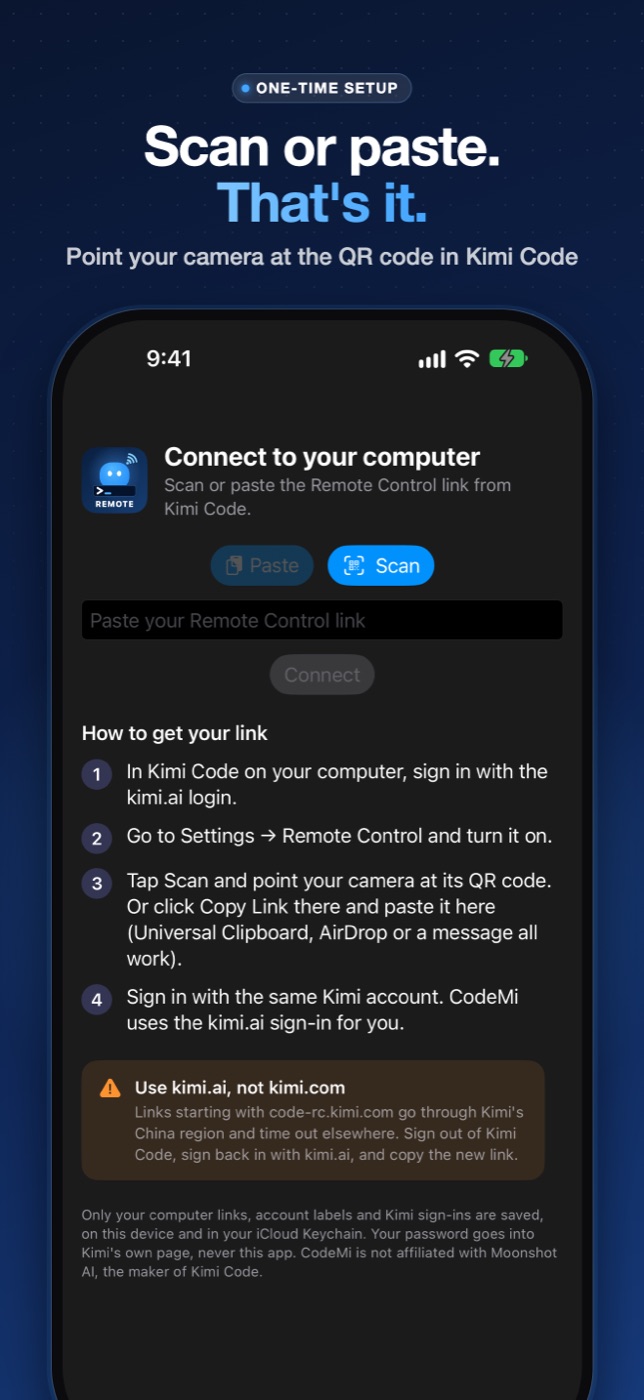
Link as many Macs and Windows PCs as you like, on one Kimi account or several. Each account keeps its own sign-in, so switching computers never asks you to sign in again. Label accounts Work, Personal or Hobby, and everything syncs through iCloud to your other devices.
Open Kimi Code
On your computer, sign in with the kimi.ai login.
Turn on Remote Control
In Kimi Code, open Settings → Remote Control and switch it on.
Scan the QR code
In CodeMi, tap Scan and point your camera at the code, or paste its link.
Sign in once
Use the same Kimi account. CodeMi remembers you after that.
Tip: use the kimi.ai login. Links that start with code-rc.kimi.com go through Kimi's China region and usually time out elsewhere.
The CodeMi Helper (optional)
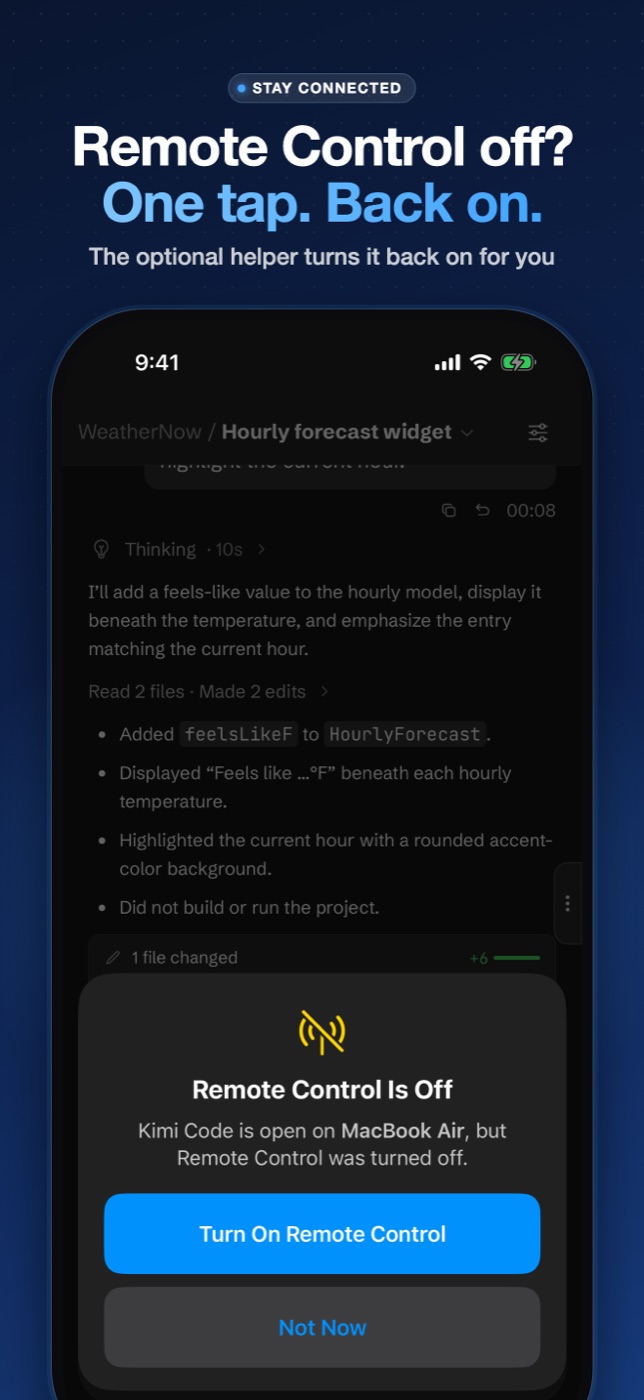
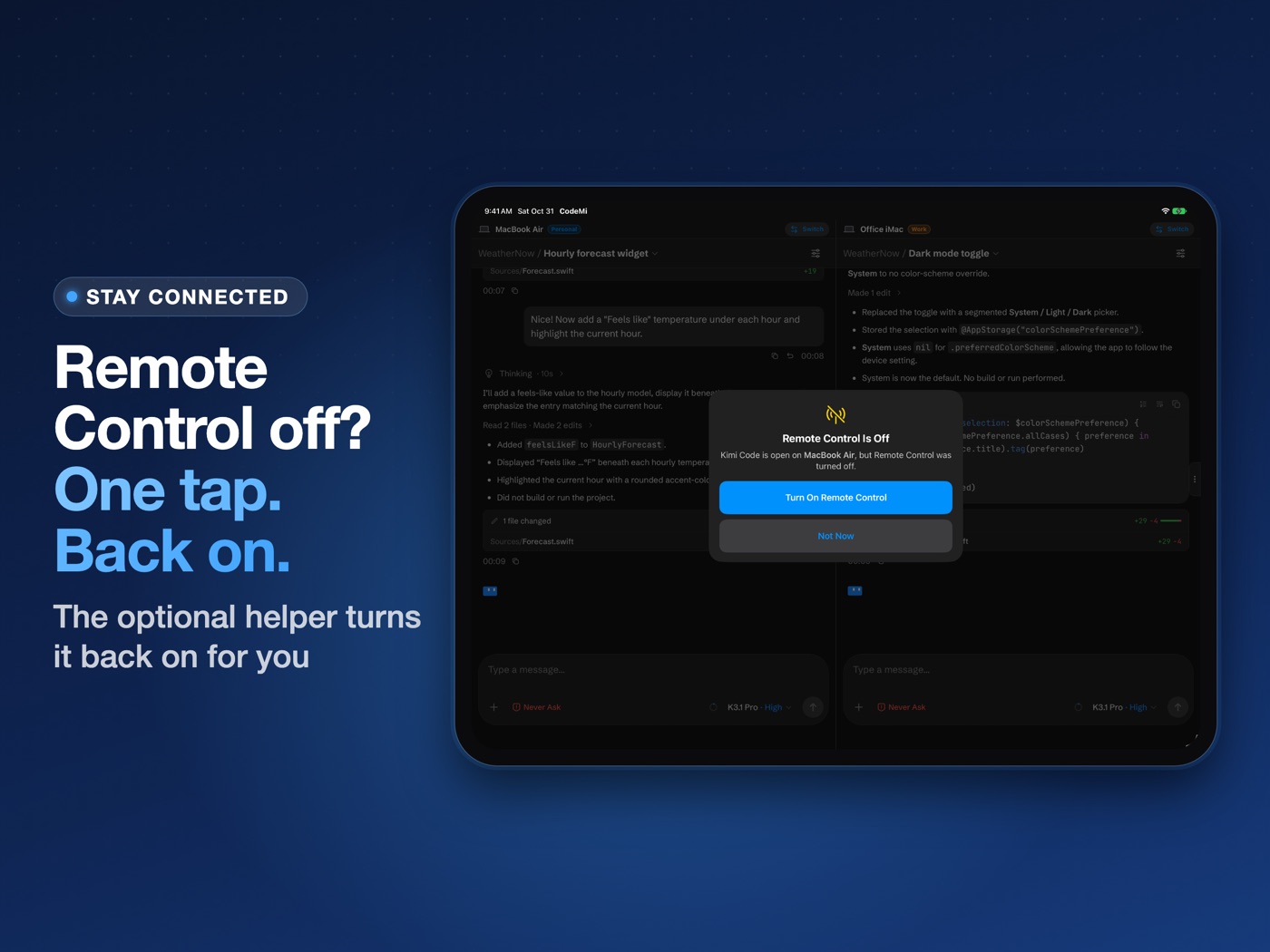
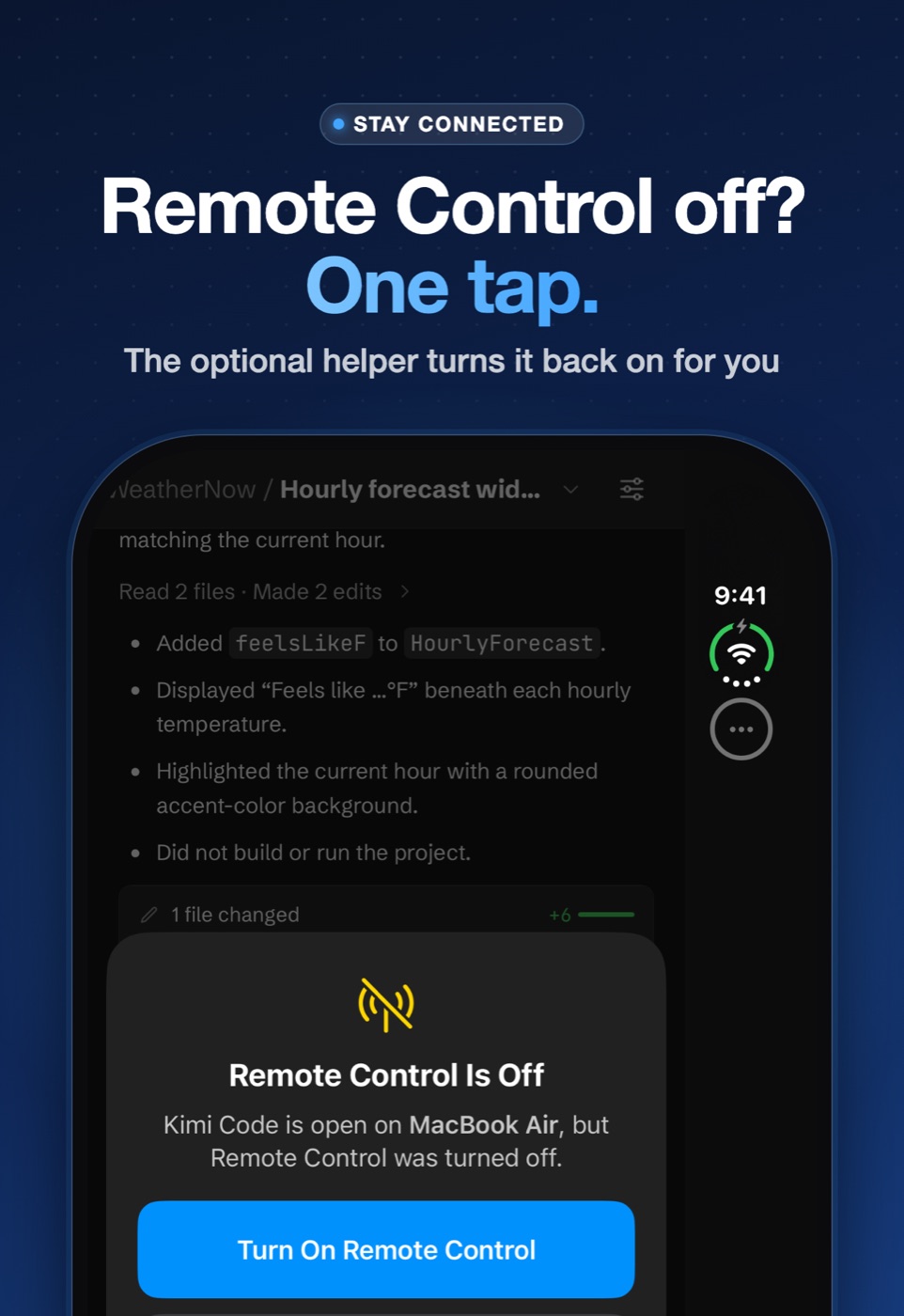
Remote Control off? One tap. Back on.
If Remote Control gets switched off, or Kimi Code is closed or updated, your phone can't reach your computer anymore. The optional, open-source CodeMi Helper lets CodeMi turn it back on from anywhere.
Does one job
It keeps one outgoing connection to relay.mannydlabs.com, reads Kimi Code's Remote Control status, and turns it on (opening Kimi Code first if it was closed). It runs no other commands, reads none of your files, and needs no admin rights.
You approve every step
CodeMi never installs anything by itself. It puts a plain-text message in a Kimi Code session; you tap Send, and Kimi's agent shows each command and asks you first.
Checked before it runs
Every download is checked against a SHA-256 the app pins, and the installers refuse anything else. Checksums and removal steps.
Several devices
Up to 8 iPhones and iPads can pair with the same computer. Unlink stops one device; Uninstall removes it from the computer for all of them.
Stays connected
It notices a dropped connection after sleep or a network change and reconnects by itself. If it ever shows offline, Reconnect Helper starts it again.
Open source
The helper and its installers are on GitHub under the MIT license, so you can read exactly what runs on your computer.
Privacy
CodeMi collects no data.
Your computers, labels and Kimi sign-ins stay on your devices and in your own iCloud Keychain. Your password goes into Kimi's own sign-in page, never into CodeMi. The helper's relay stores only whether Kimi Code is running and whether Remote Control is on, under a random identifier. It never sees your sessions, prompts or files. Read the full policy.
On GitHub
Follow along, report a bug, request a feature.
The CodeMi repo has the changelog, every screenshot, the open-source helper, and issue forms for bugs and ideas. A ⭐ helps other developers find it.
FAQ
Questions
What do I need?
Kimi Code on a Mac or Windows PC, signed in with the kimi.ai login, with Remote Control turned on. CodeMi runs on iPhone and iPad.
Does my code leave my computer?
No. Kimi Code runs the agent, reads your project and runs commands on your own computer. CodeMi shows Kimi Code's own Remote Control page full screen, the same one Kimi offers in a browser.
Does it cost anything?
No. CodeMi is free, with no ads, no subscriptions and no tracking. If it saves you time, a coffee keeps the big updates coming.
Do I need the helper?
No, it's optional. Without it, CodeMi works whenever Remote Control is on. The helper just lets you turn Remote Control back on from your phone after Kimi Code restarts or updates.
Can I use more than one computer or Kimi account?
Yes. Link as many computers as you like, on one account or several. Each account keeps its own sign-in, and on iPad or an unfolded iPhone Duo you can use two computers side by side.
Is CodeMi open source?
The CodeMi Helper and its installers are open source on GitHub under the MIT license. The CodeMi app itself is closed source.
Is it made by Moonshot AI?
No. CodeMi is an independent app by MannyD Labs, not affiliated with, endorsed by, or sponsored by Moonshot AI, the maker of Kimi and Kimi Code.
Take your Kimi Code with you.
Download on the App Store ↗ View on GitHub ↗ Buy me a coffee ☕Privacy & Terms · About the helper · Kimi and Kimi Code are trademarks of Moonshot AI. CodeMi is not affiliated with Moonshot AI. Apple, iPhone and iPad are trademarks of Apple Inc.