

Free · Open source · For Claude Code
Remote Control off?
One tap. Back on.
When the Claude desktop app restarts or updates, every Claude Code session loses Remote Control, and your phone can't reach them anymore. Remote Keeper brings them back from your phone.
macOS 13 or later · Signed and notarized · iPhone app coming soon · Windows coming soon
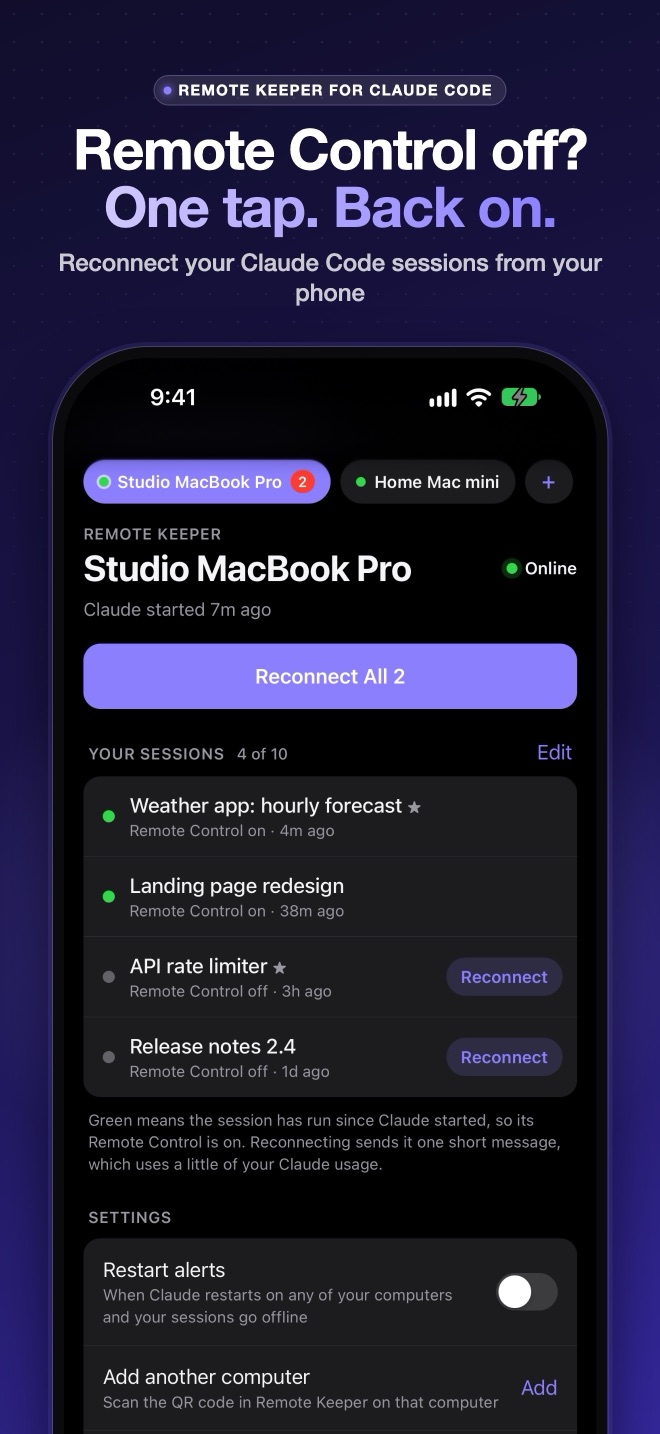
A look inside
Your sessions, back in reach.
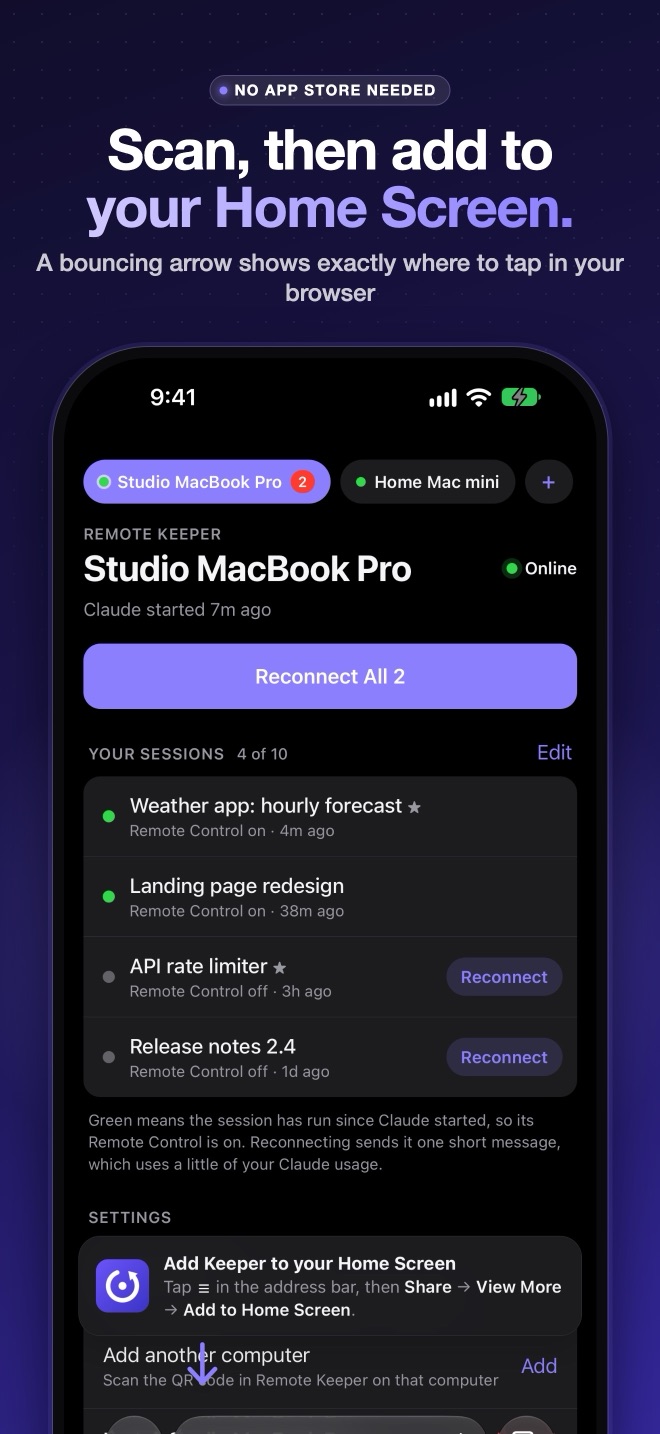
A menu bar app on your Mac, and a web app on your phone that you add to your Home Screen. No App Store and no account.
How it works
Set up once. Then it's one tap.
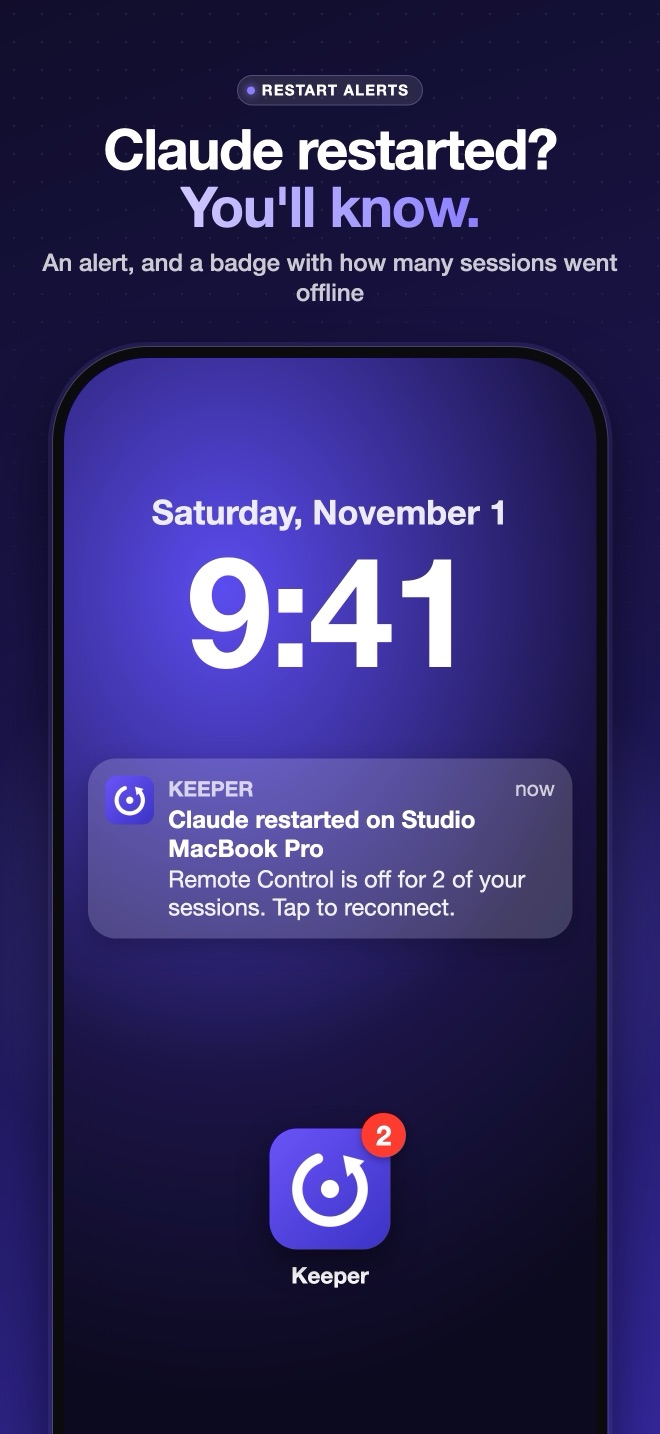
Remote Keeper watches the sessions you choose and alerts you when one loses Remote Control. Tap Reconnect, and it opens that session on your Mac and runs Claude's own /remote-control command. A few seconds later it's back on your phone, and it uses none of your Claude usage.
Install on your Mac
Download, drag to Applications, open. It lives in your menu bar.
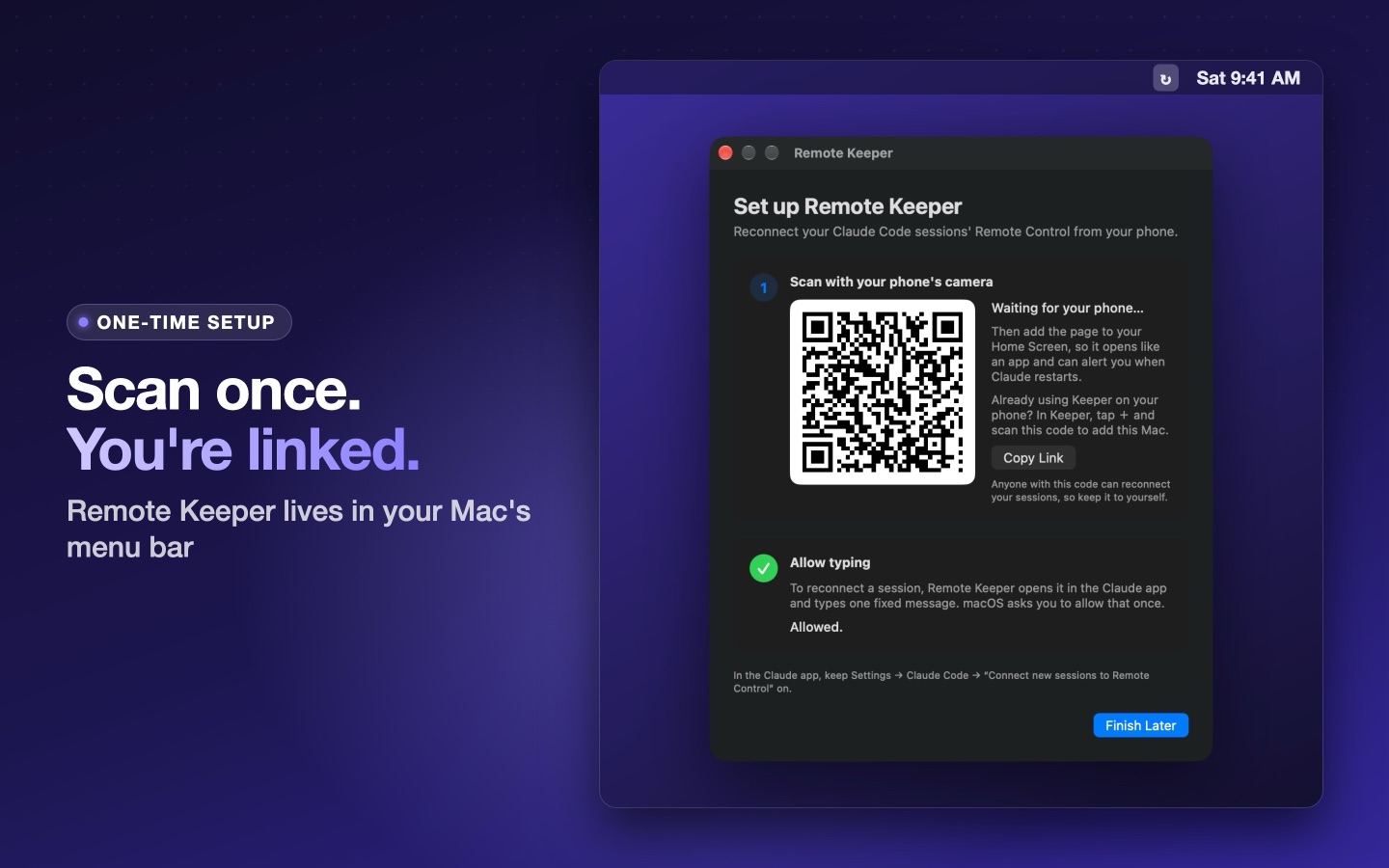
Scan the QR code
With your phone's camera. The Remote Keeper web app opens.
Add to Home Screen
A bouncing arrow shows where to tap in your browser. Then it opens like an app.
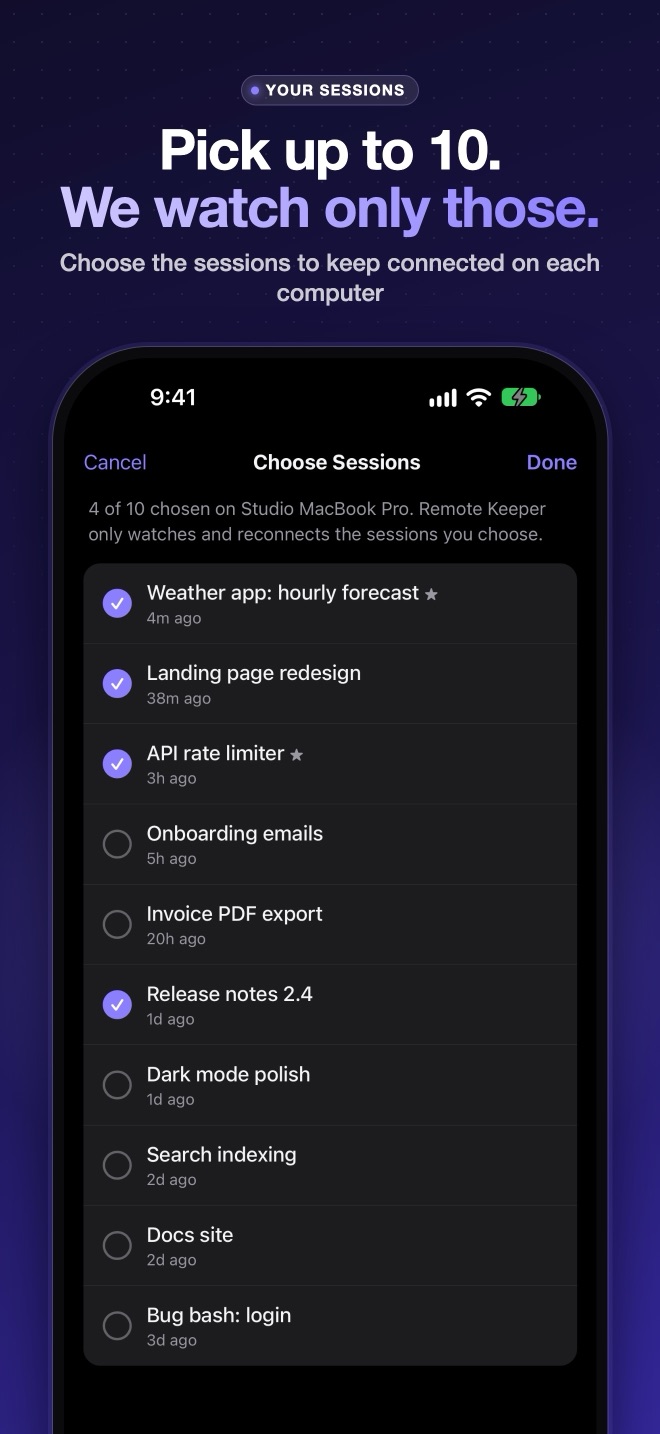
Pick your sessions
Choose which to keep connected and turn on alerts. You'll know whenever one goes offline.
Privacy and security
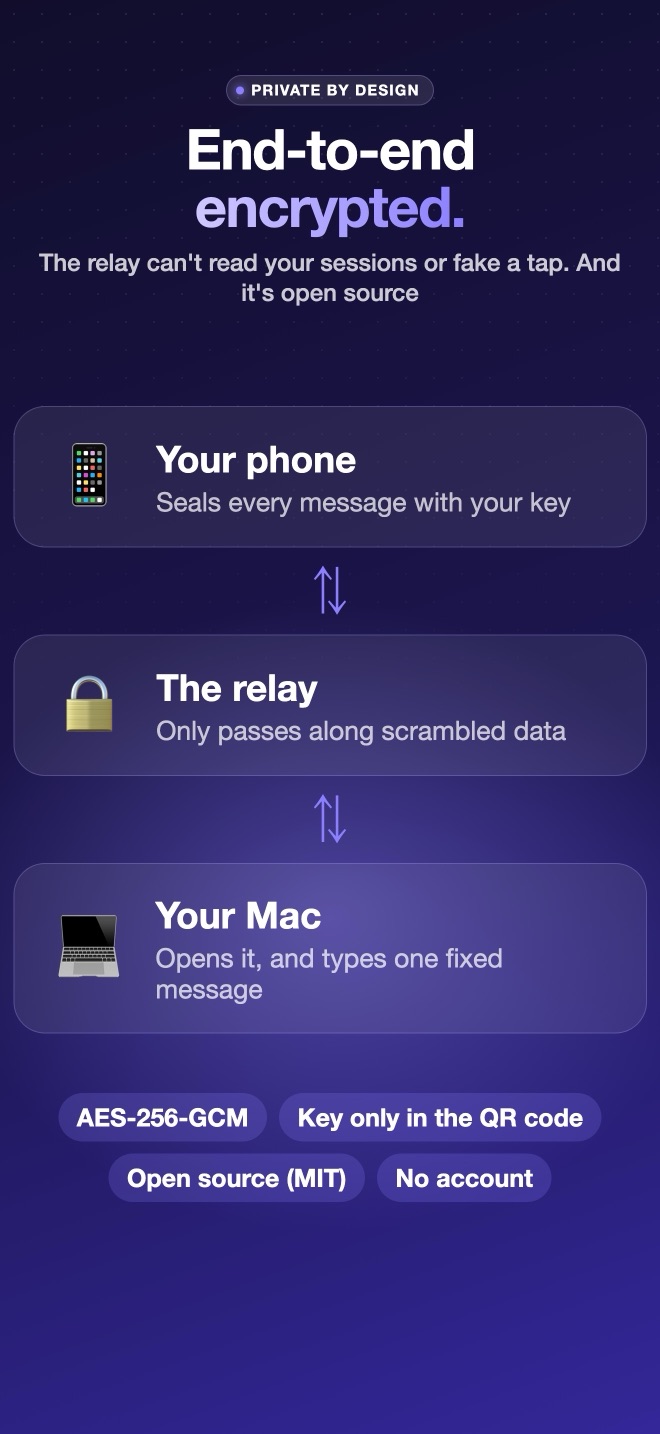
It can't run anything. And nobody in the middle can read it.
Remote Keeper is open source under the MIT license, so you can check every one of these.
Only /remote-control
The only thing it types is Claude's own /remote-control command (or, as a fallback, one fixed “Reply only: ok”). Nothing you type on your phone reaches your computer, so it can't be used to run commands.
End-to-end encrypted
The secret lives only in your QR code, in the part of the link browsers never send to a server. The relay only passes along scrambled data.
Only when you tap
It never reconnects anything by itself, and it only reads the Claude app's session list. It never changes it.
No account, no tracking
No sign-up and no analytics. The relay keeps no session data, only your phone's alert subscription if you turn alerts on.
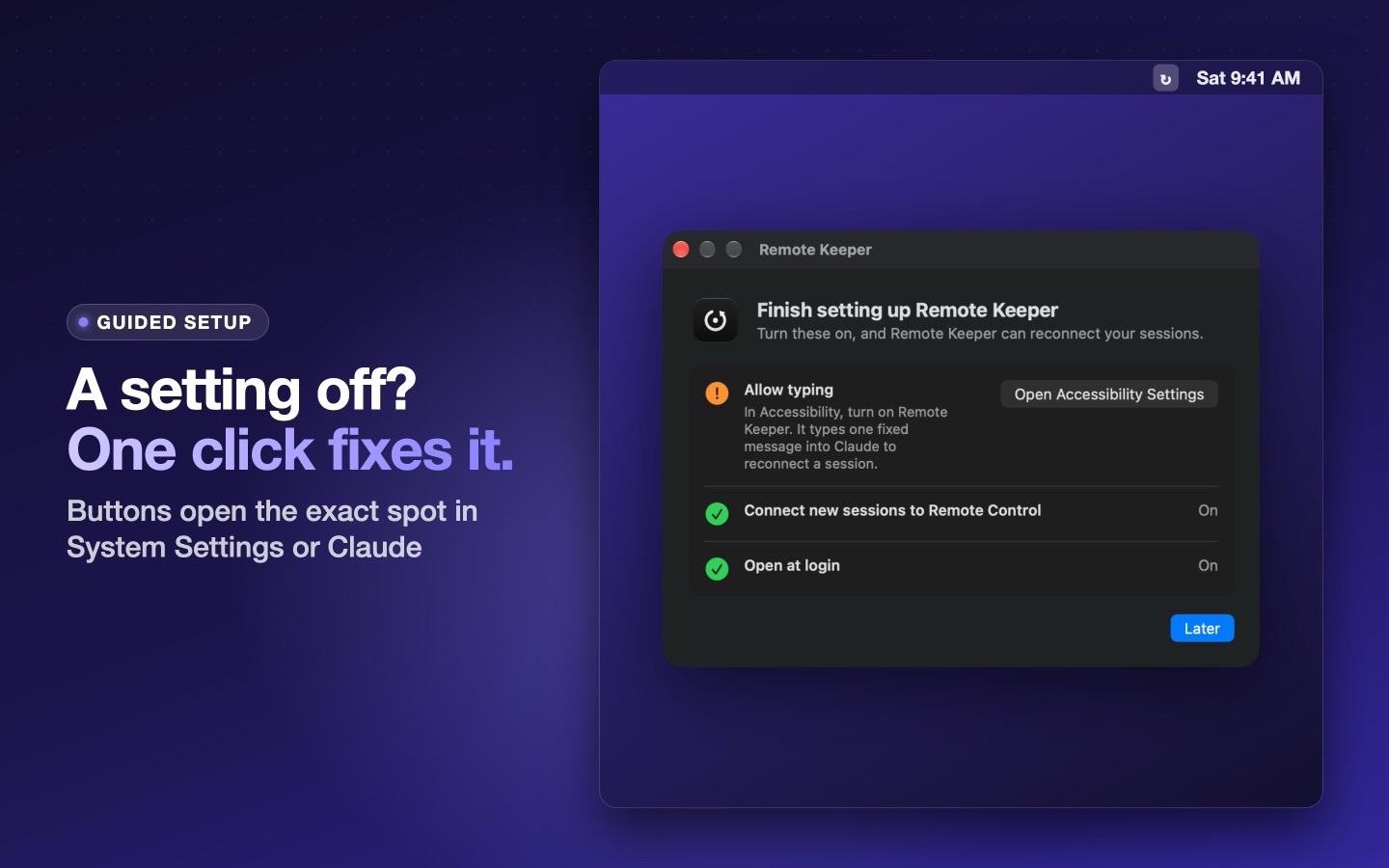
Guided setup
Needs a setting? Remote Keeper shows a button that opens the exact spot in System Settings or Claude's settings.
Safe updates
Updates come from GitHub and install only when signed by MannyD Labs and notarized by Apple.
FAQ
Questions
What do I need?
A Mac with macOS 13 or later and the Claude desktop app, with Settings → Claude Code → “Connect new sessions to Remote Control” turned on. Any modern phone browser works; on iPhone, add the page to your Home Screen for alerts and the badge.
Does it use my Claude usage?
No. It reconnects with Claude's /remote-control command, which the Claude app handles itself. Only if that ever doesn't work does it fall back to one short message, which is a small turn on that session's model.
Why does my Mac need to be unlocked?
Remote Keeper types into the Claude app the same way you would, and macOS doesn't allow typing into a locked screen. Your Mac also needs to be awake.
Does it work with more than one computer?
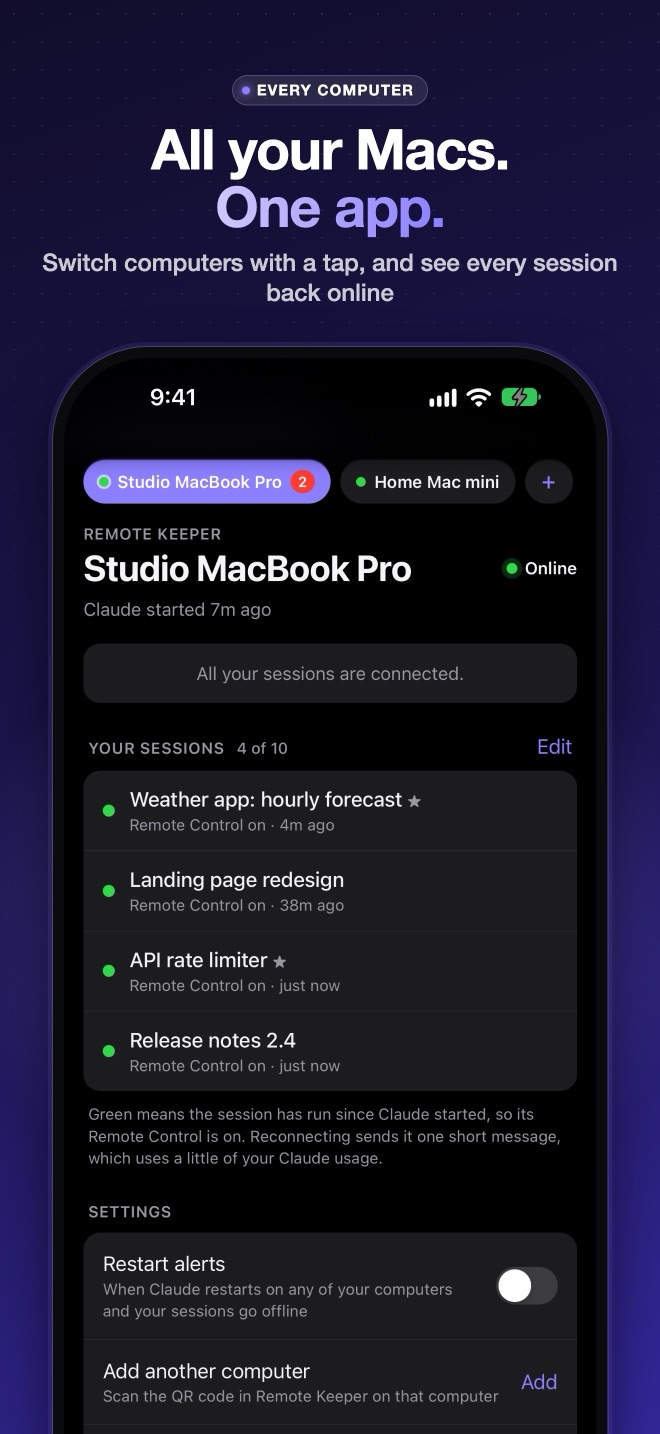
Yes. Install it on each Mac, then tap + in the app on your phone and scan that Mac's code. You can switch between them with a tap.
Is there an iPhone app?
Coming soon, free on the App Store: no session limit, a Reconnect button right in the notification, Home Screen and Lock Screen widgets, Siri and Shortcuts, and your computers synced with iCloud. The web app stays, for Android and for anyone who'd rather not install anything.
Windows?
Coming soon.
Is it made by Anthropic?
No. Remote Keeper is an independent project by MannyD Labs, not affiliated with, endorsed by, or sponsored by Anthropic. It relies on parts of the Claude app that aren't public APIs, so a Claude update can break it; we'll fix it as fast as we can.
Keep your sessions in reach.
Download for Mac ↓ Report a bug or request a feature ↗ Buy me a coffee ☕Claude and Claude Code are trademarks of Anthropic. Remote Keeper is not affiliated with Anthropic.